The owner’s app · Android and iPhone

Kassa PatronThe shop runs. You stay in charge.

Kassa Patron is the owner’s app for Kassa DZ POS. One or several shops, sales and real margin, the till and its closings, credit, and every return or discount to approve from your phone.

NewVersion 0.7: several shops, till, credit

On the shop Wi-Fi. Remote, over 4G: with the Remote monitoring option.

Kassa Patron, All shops screen: combined sales, tickets, margin and pending requests, shop by shop
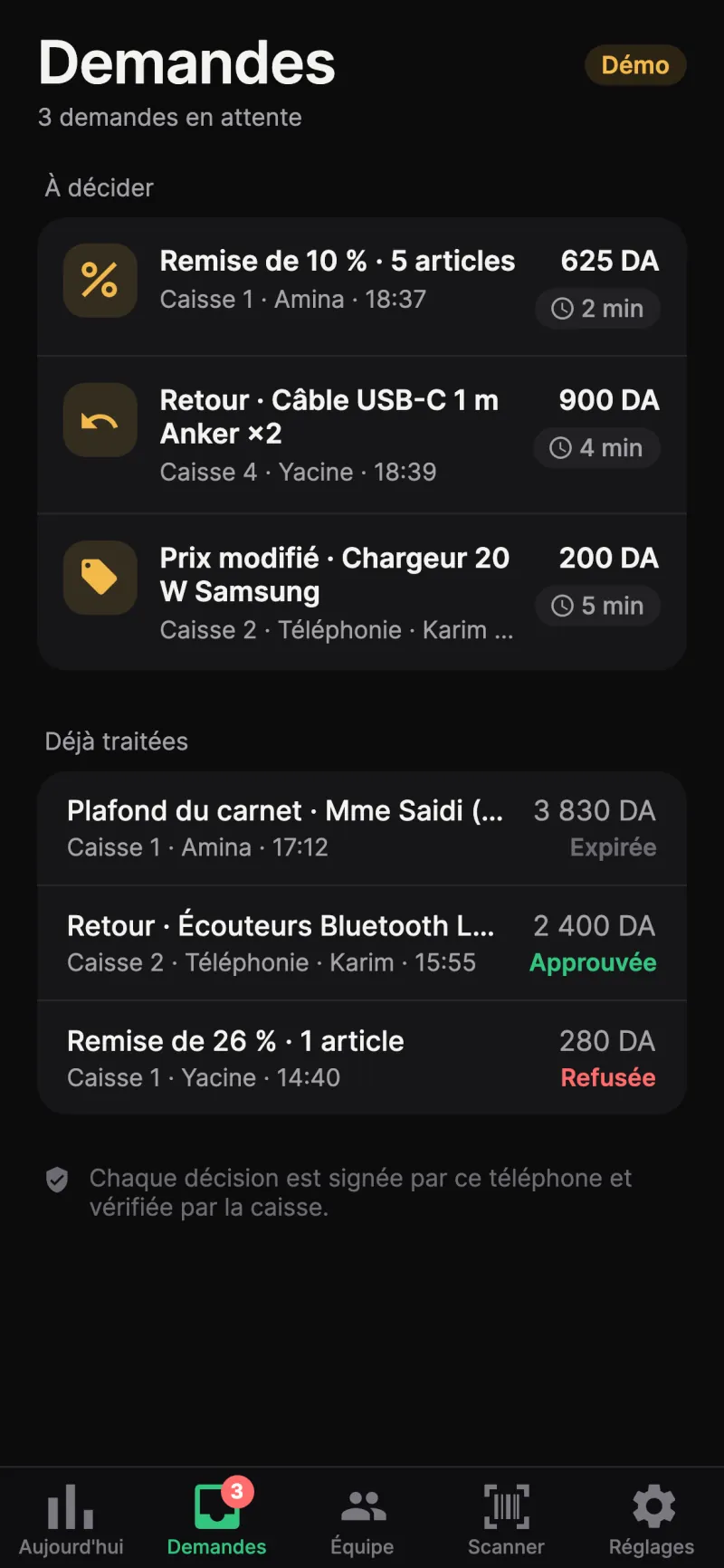
Kassa Patron, Requests screen: a discount, a return and a price change waiting for a decision
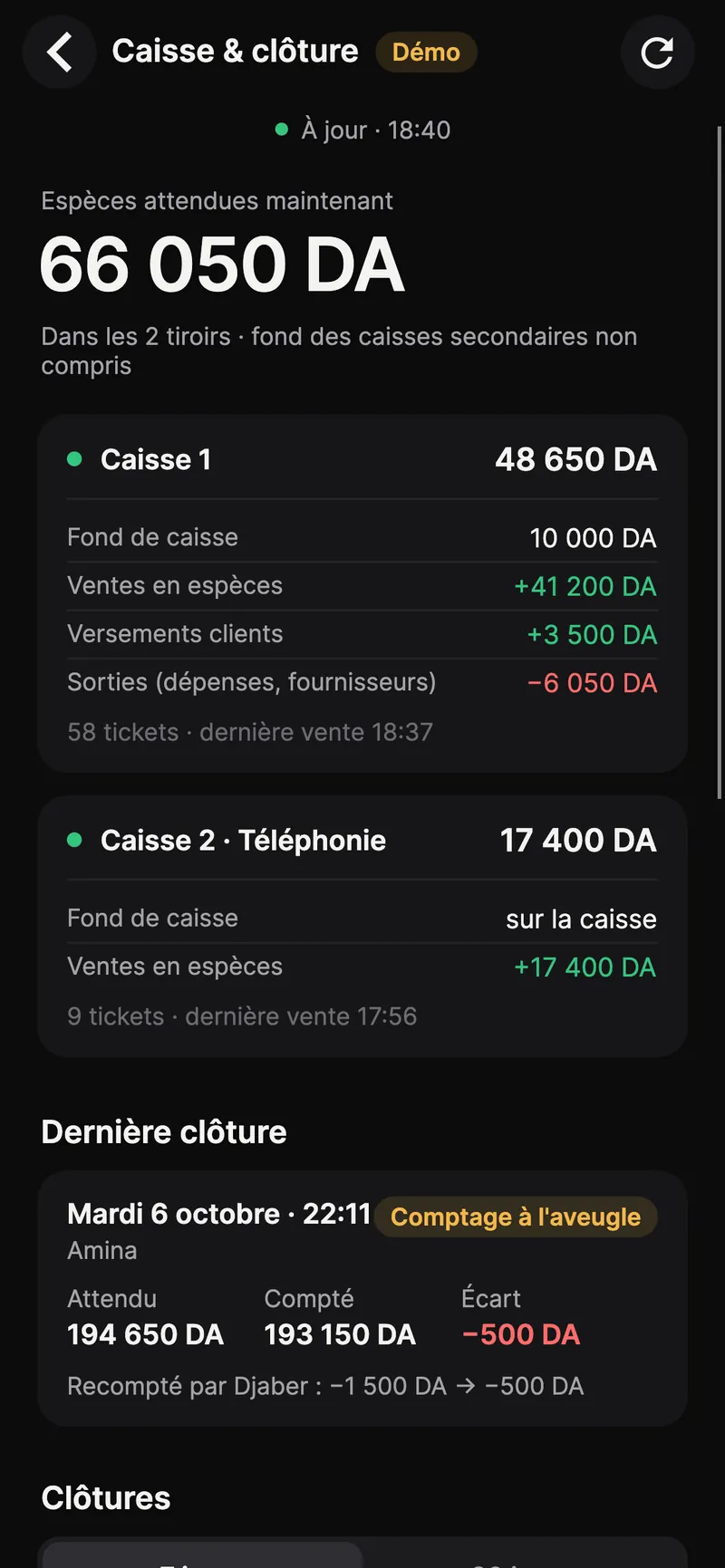
Kassa Patron, Till and closing screen: expected cash in two drawers and the last blind-counted closing with its gap
  • Android and iPhone
  • French and Arabic
  • Face ID or fingerprint
  • Every decision signed

New · version 0.7

Running the shop, from your phone.

Version 0.7 adds a Management section to the Today screen: till and closings, credit, repairs, history, online shop and negotiated prices. And you follow several shops in the same app.

These pages need Kassa DZ POS 1.11 on the main till. Away from the shop, they arrive with the Remote monitoring option, end-to-end encrypted.

Several shops, one app.

Pair the main till of each shop, on its own Wi-Fi. “All shops” adds up sales, tickets and margin, and counts the requests waiting for your answer. Tap a shop to see its day, its requests and its team.

  • “All shops”: sales, tickets, average basket and margin
  • A switcher at the top of the screen to move between shops
  • Settings › Shops: add or unpair a shop
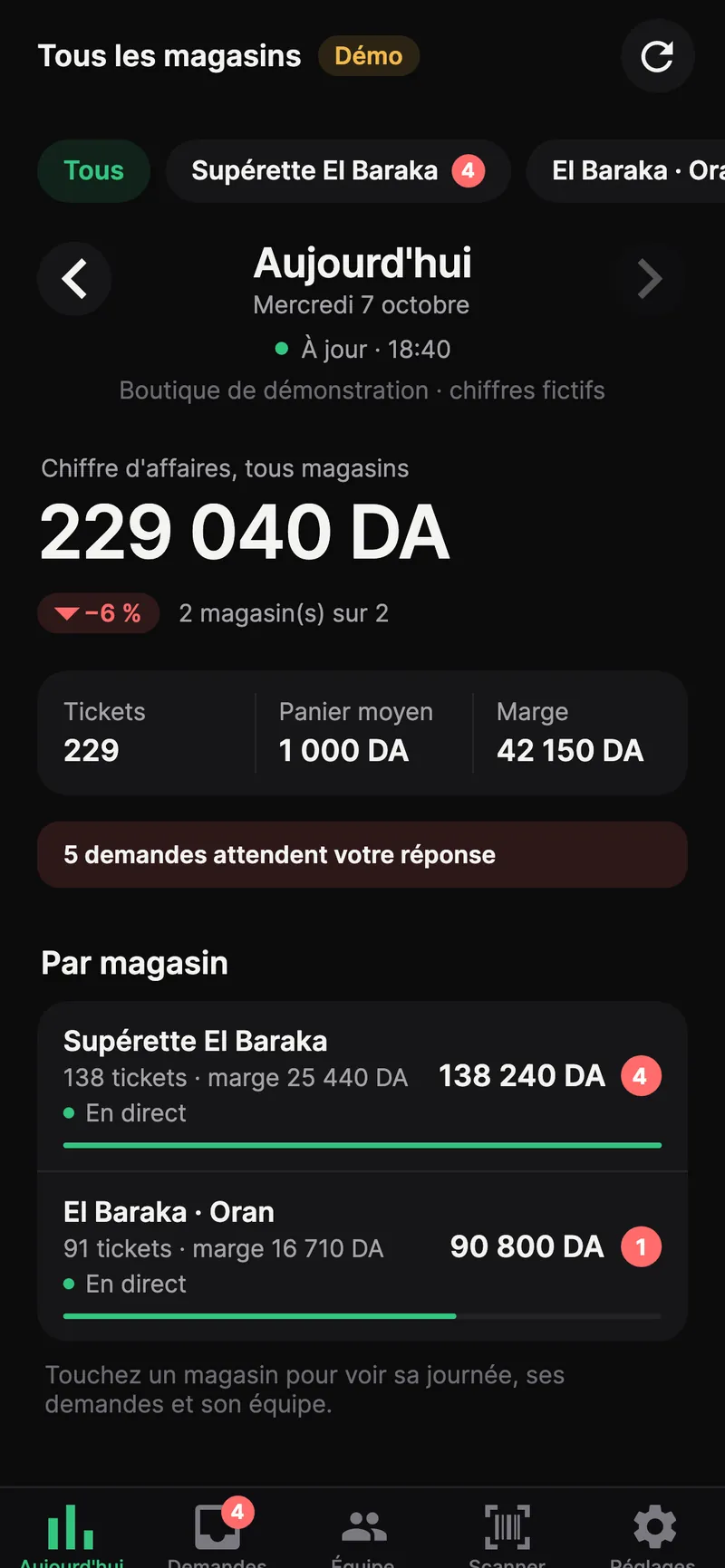
Kassa Patron, All shops screen: combined sales, tickets, margin and pending requests, shop by shop
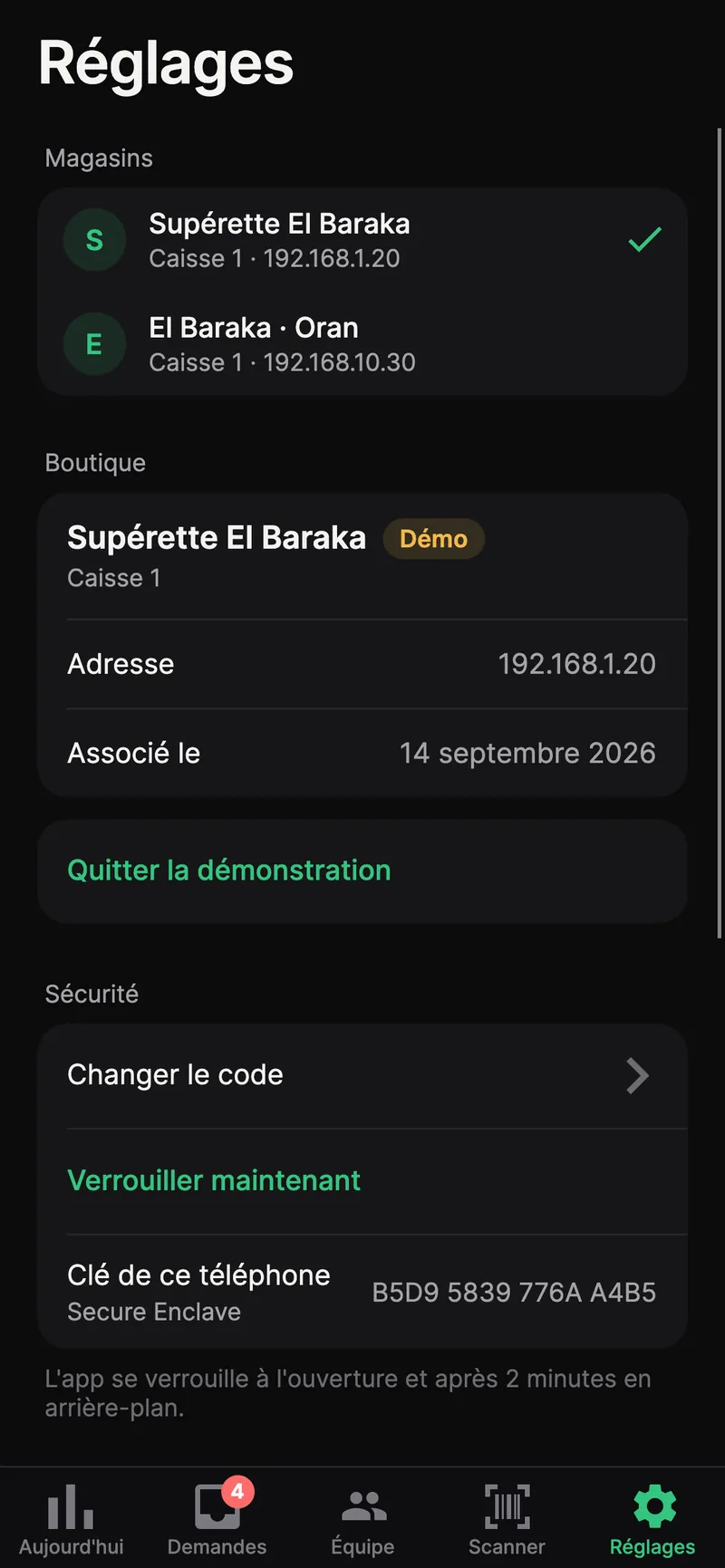
Kassa Patron, Settings › Shops: two paired shops, each with its main till

Till and closings, without going to the shop.

The cash expected right now in each drawer, computed exactly like the Closing screen: opening float, cash sales and customer payments, minus cash out. Then every Z: expected, counted, gap, and whether the count was blind.

  • Expected cash, drawer by drawer
  • Gap of every Z and the manager’s recount
  • Z history and total gaps over the period
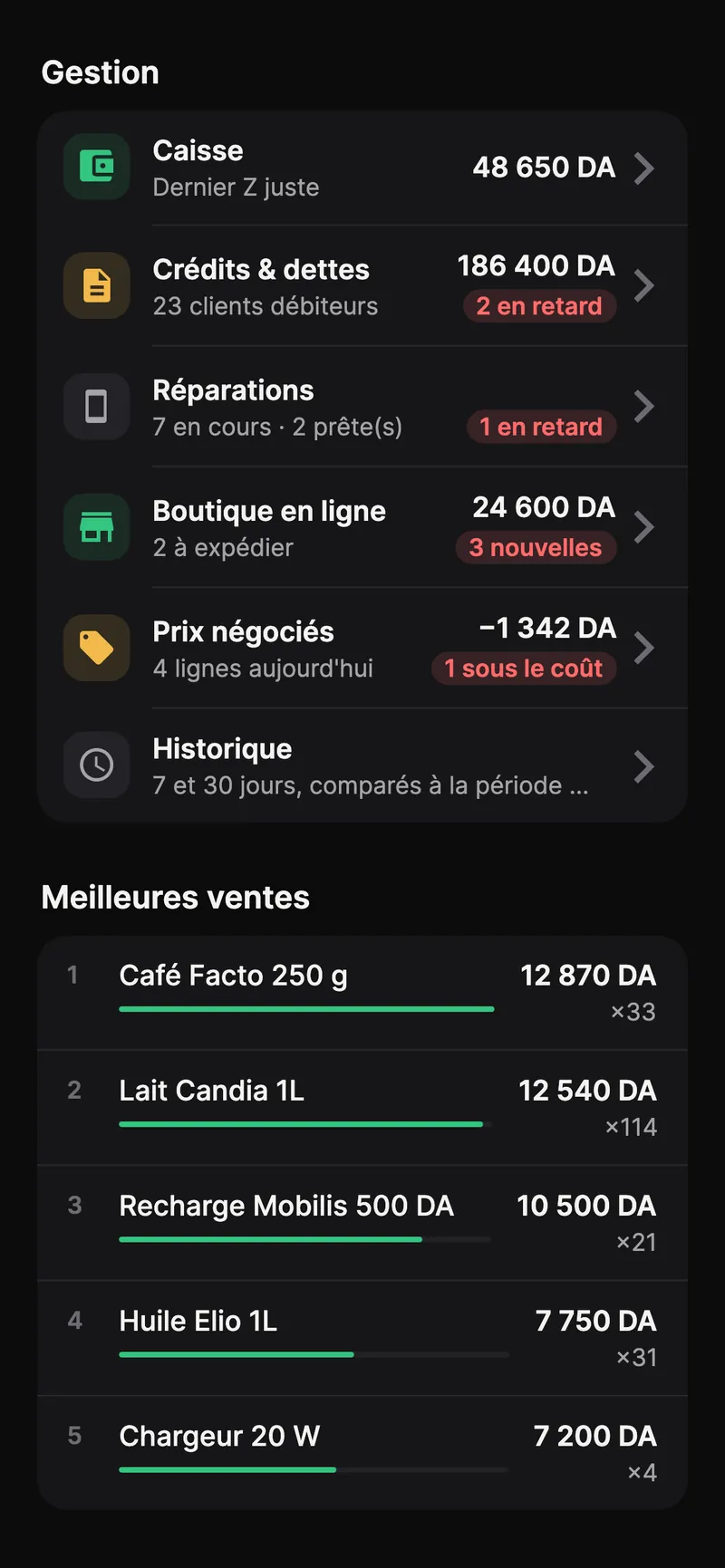
Kassa Patron, Management section of the Today screen: till, credit and debts, repairs, online shop, negotiated prices, history
Kassa Patron, Till and closing screen: expected cash in two drawers and the last blind-counted closing with its gap

Customer credit and supplier debts.

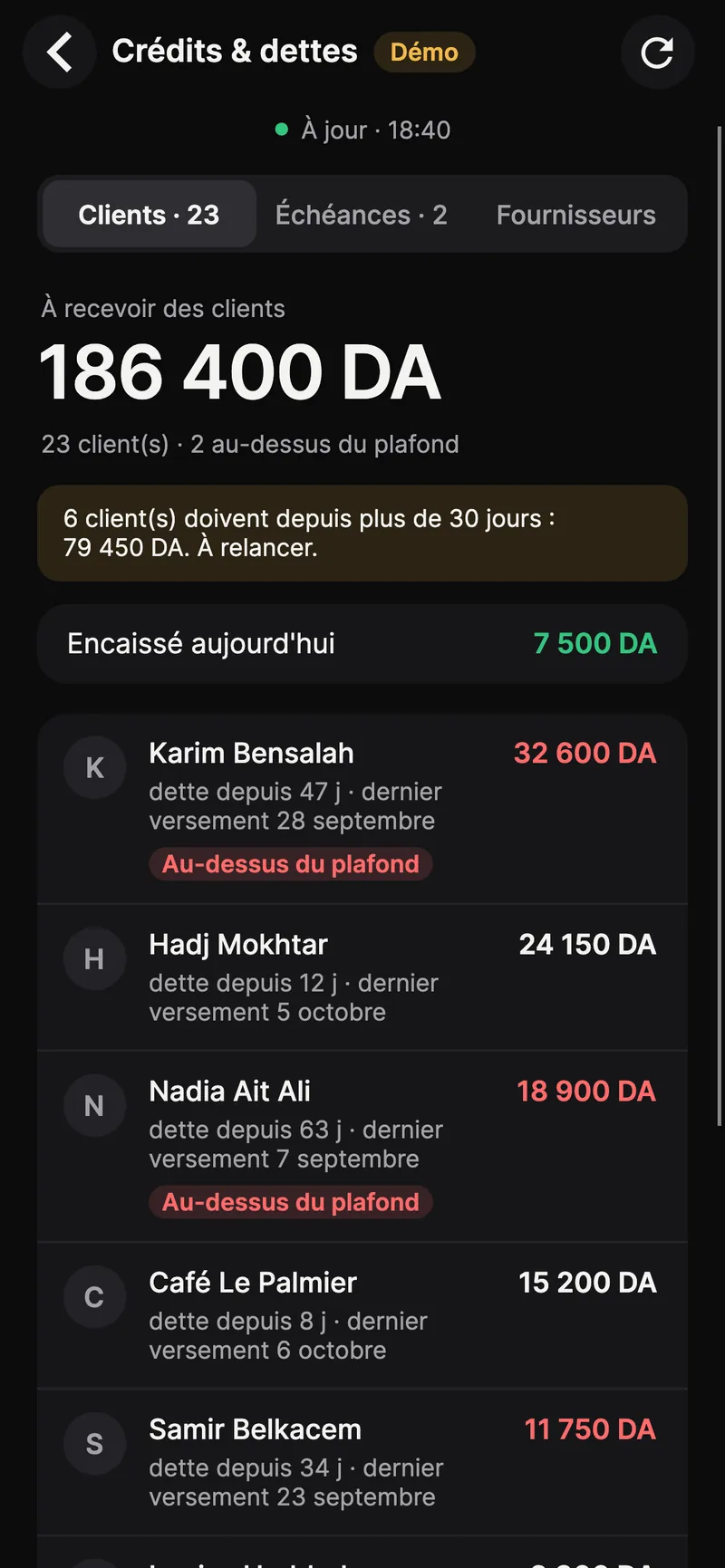
What customers owe you, who is over their limit, who has owed for more than 30 days. Instalment sales and late instalments. And on the other side, what you owe each supplier.

  • Customers to remind, age of the debt, last payment
  • Late and upcoming instalments
  • Supplier debts and last movement
  • Customer names shown only on the owner’s phone
Kassa Patron, Credit and debts screen: total owed by customers, customers over their limit and to remind

Four more pages.

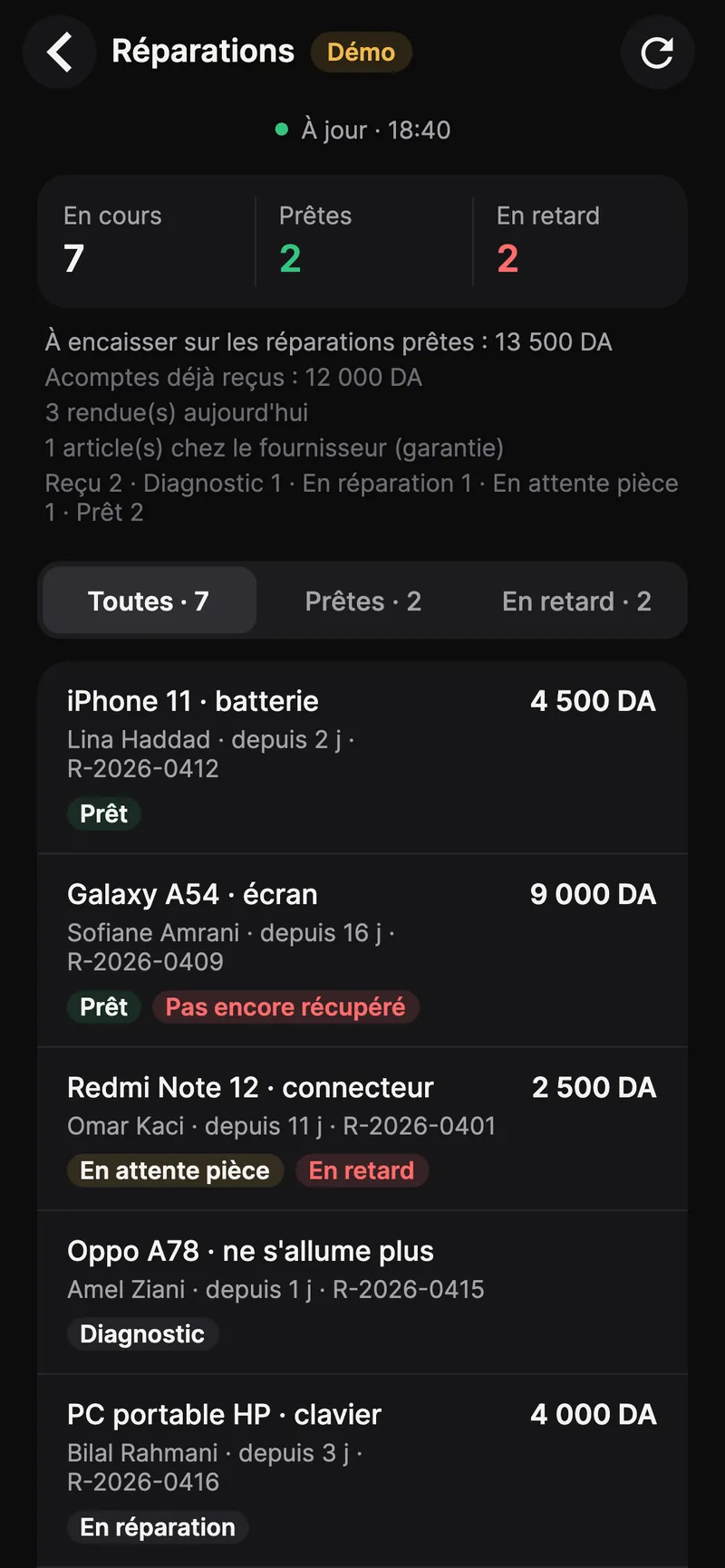
  • Kassa Patron, Repairs screen: devices in progress, ready and late

    Repairs and after-sales

    In progress, ready, late. What is left to collect on ready devices, items at the supplier under warranty.

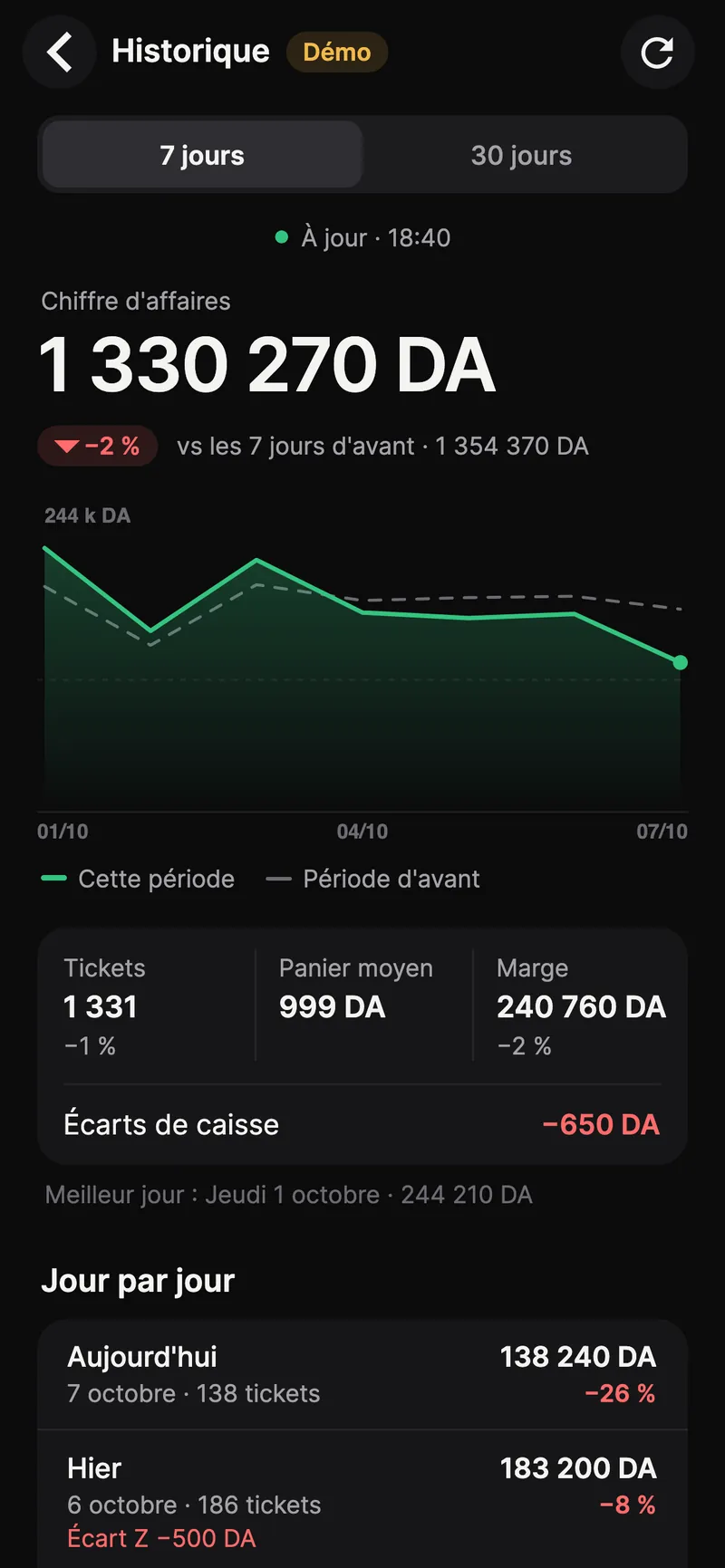
  • Kassa Patron, 7-day History screen: sales compared with the previous period, tickets, margin and till gaps

    7 and 30-day history

    Sales, tickets, margin and till gaps, day by day, compared with the previous period.

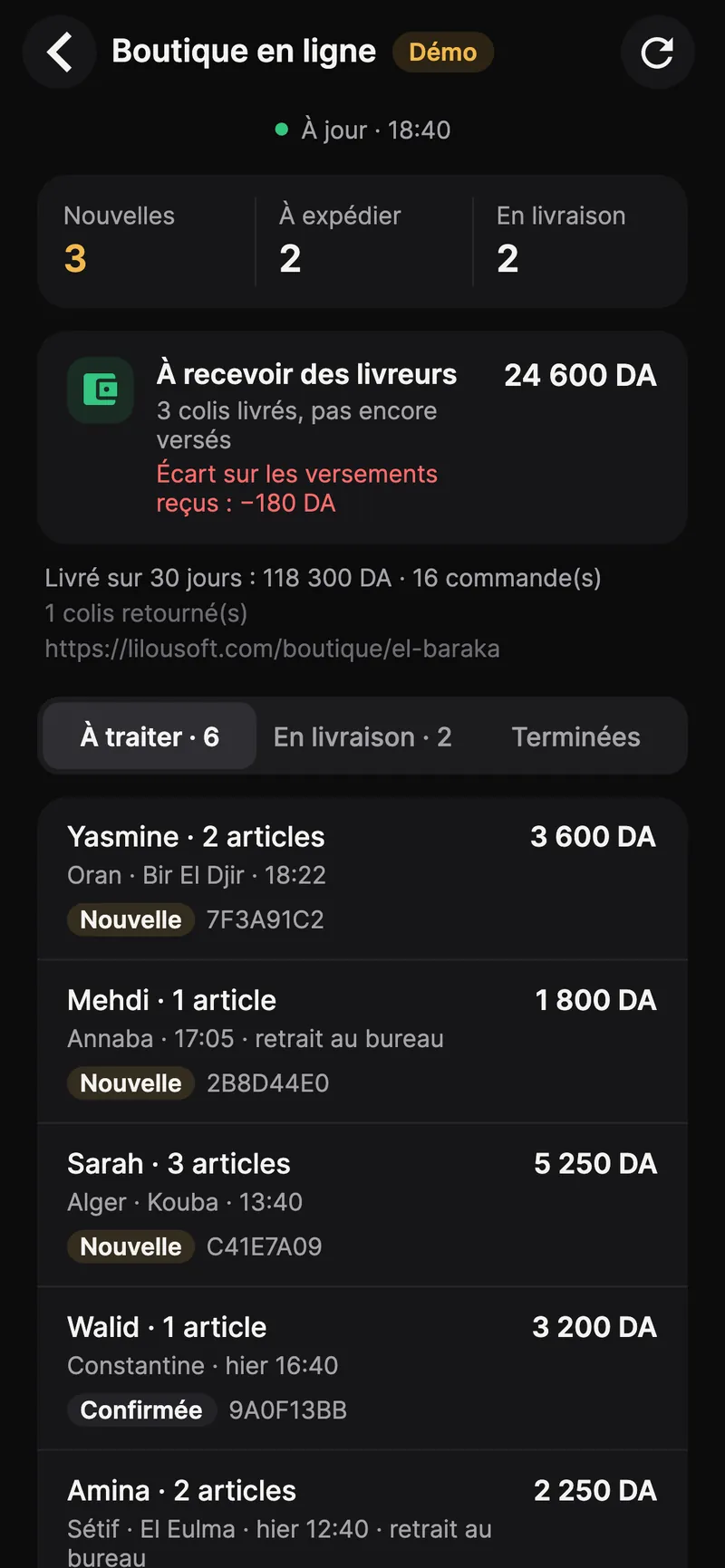
  • Kassa Patron, Online shop screen: new orders, to ship, in delivery, and cash on delivery still due

    Online shop

    New orders, to ship, in delivery, and the cash on delivery couriers still have to pay. Confirming and shipping happen at the till.

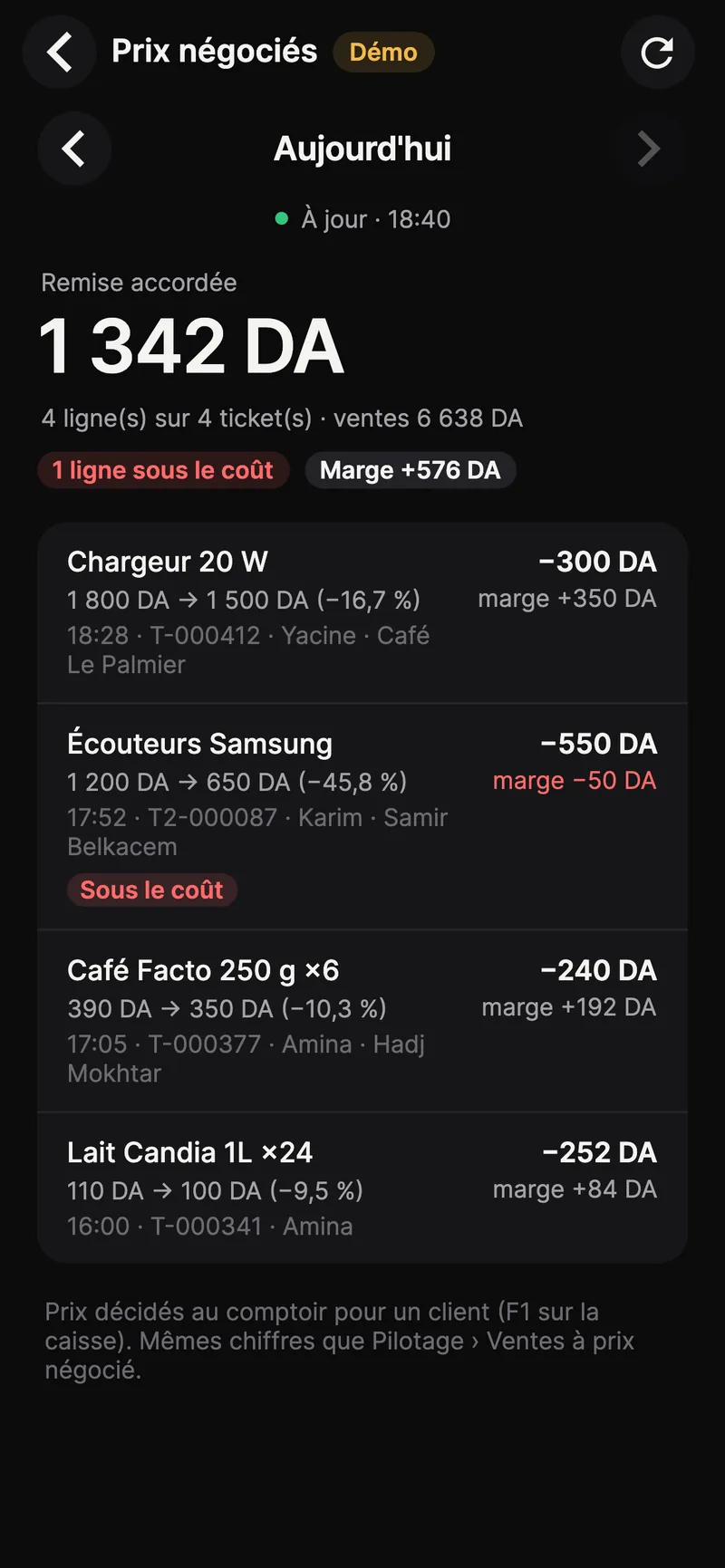
  • Kassa Patron, Negotiated prices screen: discount given, lines sold at a negotiated price and a line below cost

    Negotiated prices

    Every price made at the counter with F1, the discount given, the margin, and lines sold below cost.

The alerts that matter, with a clear title.

Each notification says what happened and in which shop. With the Remote monitoring option, they reach you even away from the shop.

  • Kassa Patronnow

    Till gap

    Supérette El Baraka · Z of till 1: 1,500 DA short

    Above the threshold you choose in the app.

  • Kassa Patronnow

    Sale below cost

    20 W charger sold at a negotiated price · margin −50 DA

    Negotiated prices included: who, when, how much.

  • Kassa Patronnow

    New online order

    Yasmine · 2 items · 3,600 DA · Oran

    The order waits for confirmation at the till.

Screenshots from the app in a demo shop: names and amounts are fictitious.

One request, from the till to your phone.

When the cashier is not allowed, they send the request to the owner. A manager on site can still type their PIN on the till instead.

With no answer within 10 minutes, the request expires and the cashier can send it again.

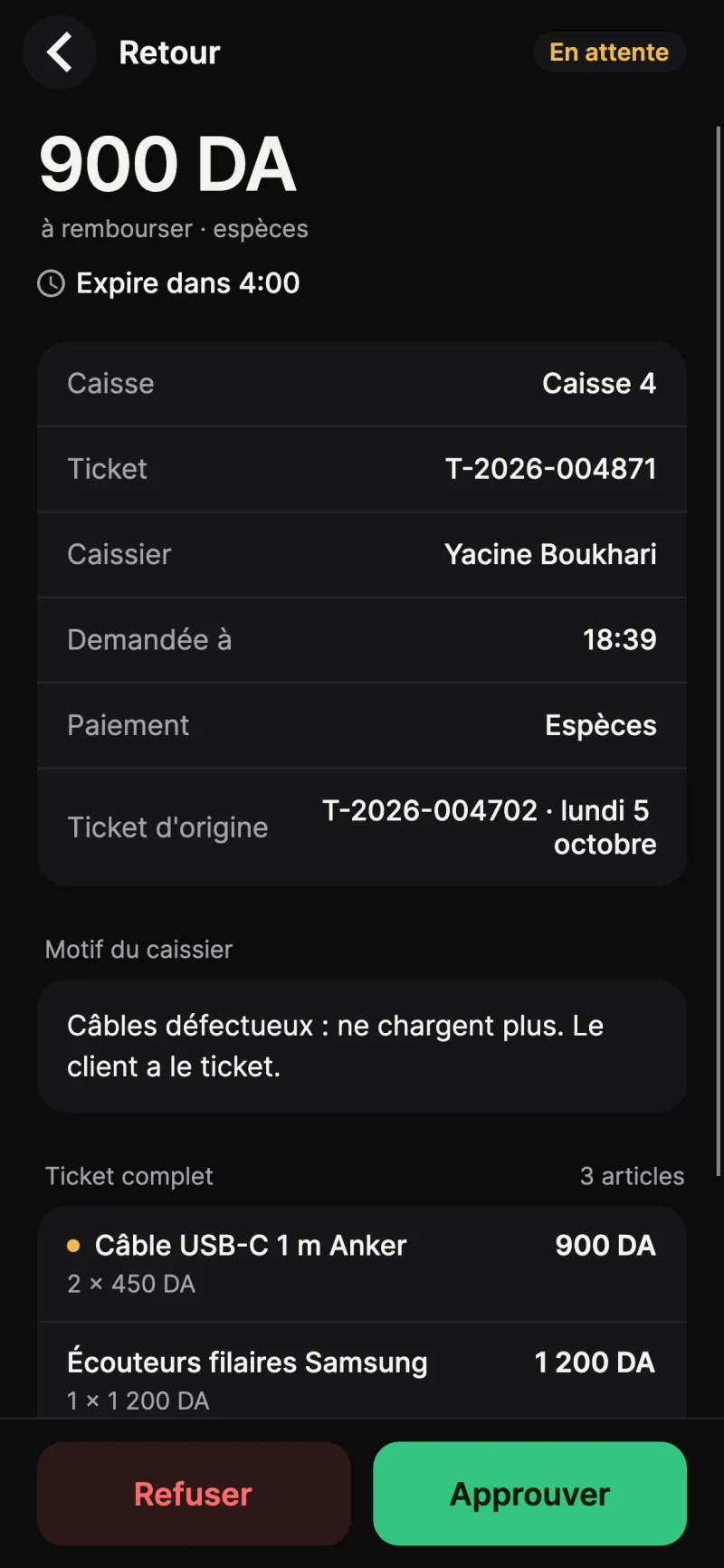
At till 4, Yacine is returning two USB-C cables, 900 DA. Returns are reserved for the owner: he taps “Send to the owner”.

On the owner’s phone, a Kassa Patron notification: return to approve, 900 DA, till 4.

The owner opens the request: amount, cashier, original ticket, reason. He taps “Approve” and confirms with Face ID.

The till shows “Approved remotely by Djaber” and the refund goes through. The decision is signed by the phone and verified by the till.

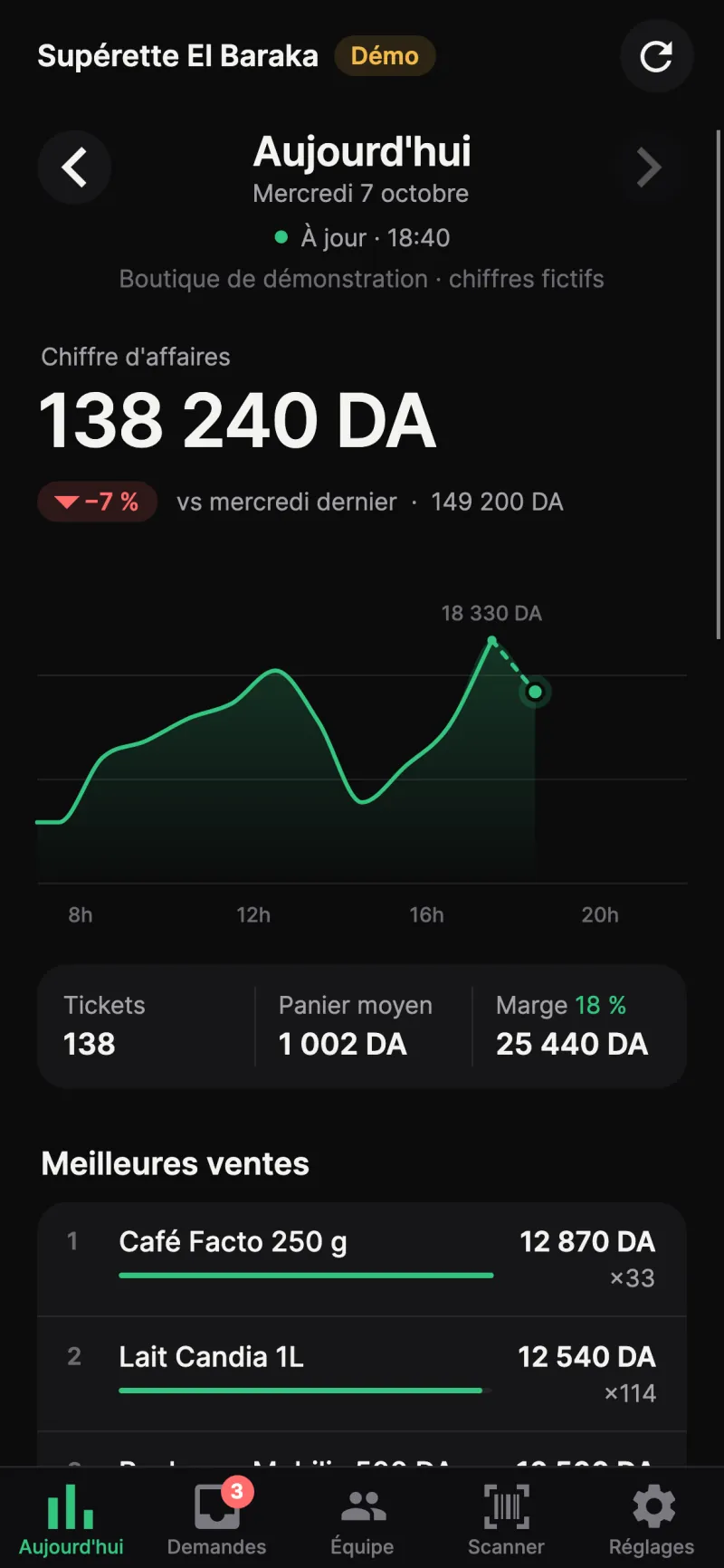
Today’s sales, and the real margin.

Revenue, tickets, average basket and margin, computed by the till itself: the same figure as in the dashboard. Sales hour by hour, best sellers, and a comparison with the same day last week.

  • Real margin, identical to the till’s
  • Comparison with last week
  • Last closing and cash difference
Kassa Patron, Today screen: revenue, sales by hour, tickets, average basket and margin

Stock running low, before it runs out.

Products below their threshold show up in Today, with what is left. You reorder before the shelf is empty.

  • Low stock: remaining and threshold, product by product
  • Today’s returns and amount refunded

Everything the till asks you, in one place.

Returns, discounts, price changes, store-credit limits, cash withdrawals. Every request shows the full ticket and the cashier’s reason. Approving or refusing takes a second.

  • Return, discount, price, credit limit, cash withdrawal
  • Full ticket and reason before you decide
  • History: approved, refused, expired
Kassa Patron, Requests screen: a discount, a return and a price change waiting for a decision
Kassa Patron, return request: amount, till, ticket, cashier, reason and full ticket, with Refuse and Approve

Your team, managed from your phone.

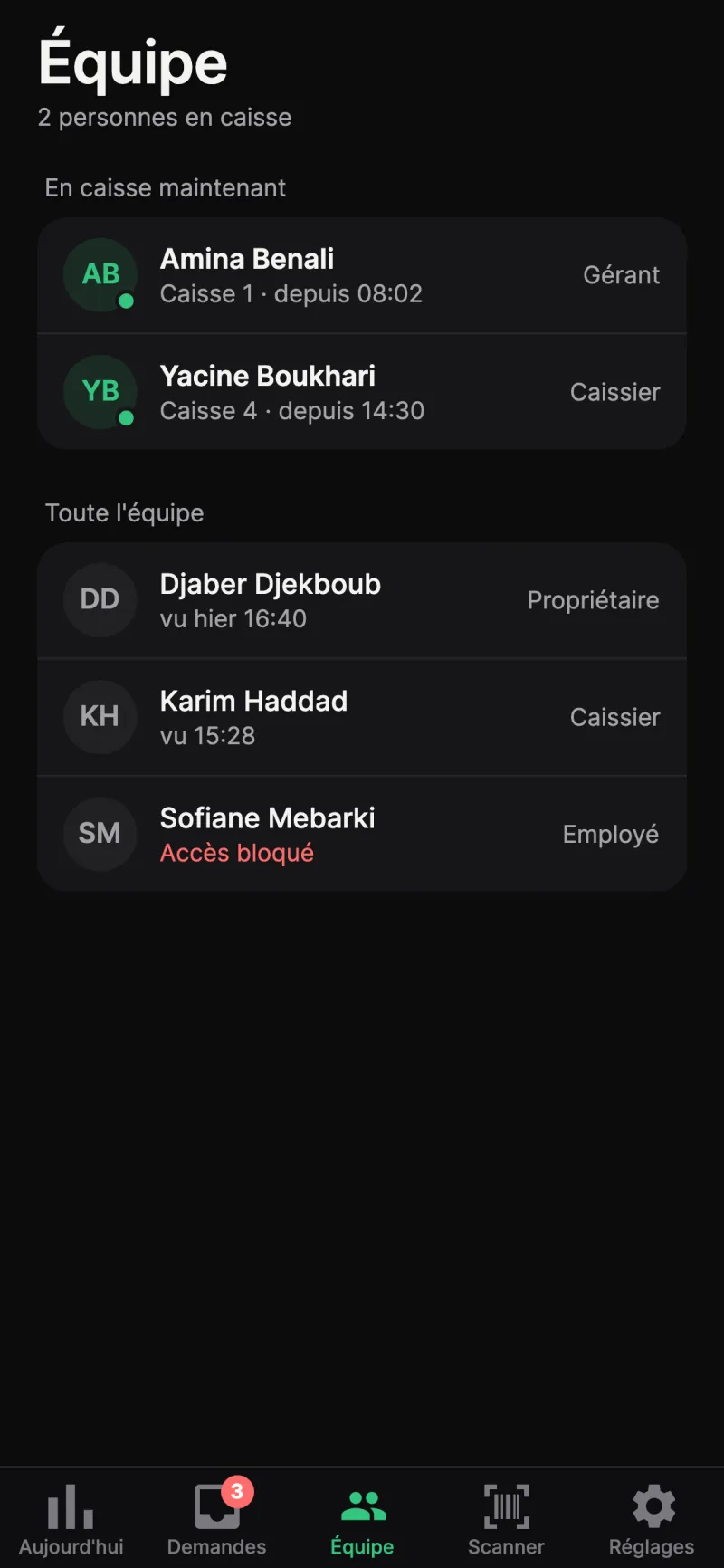
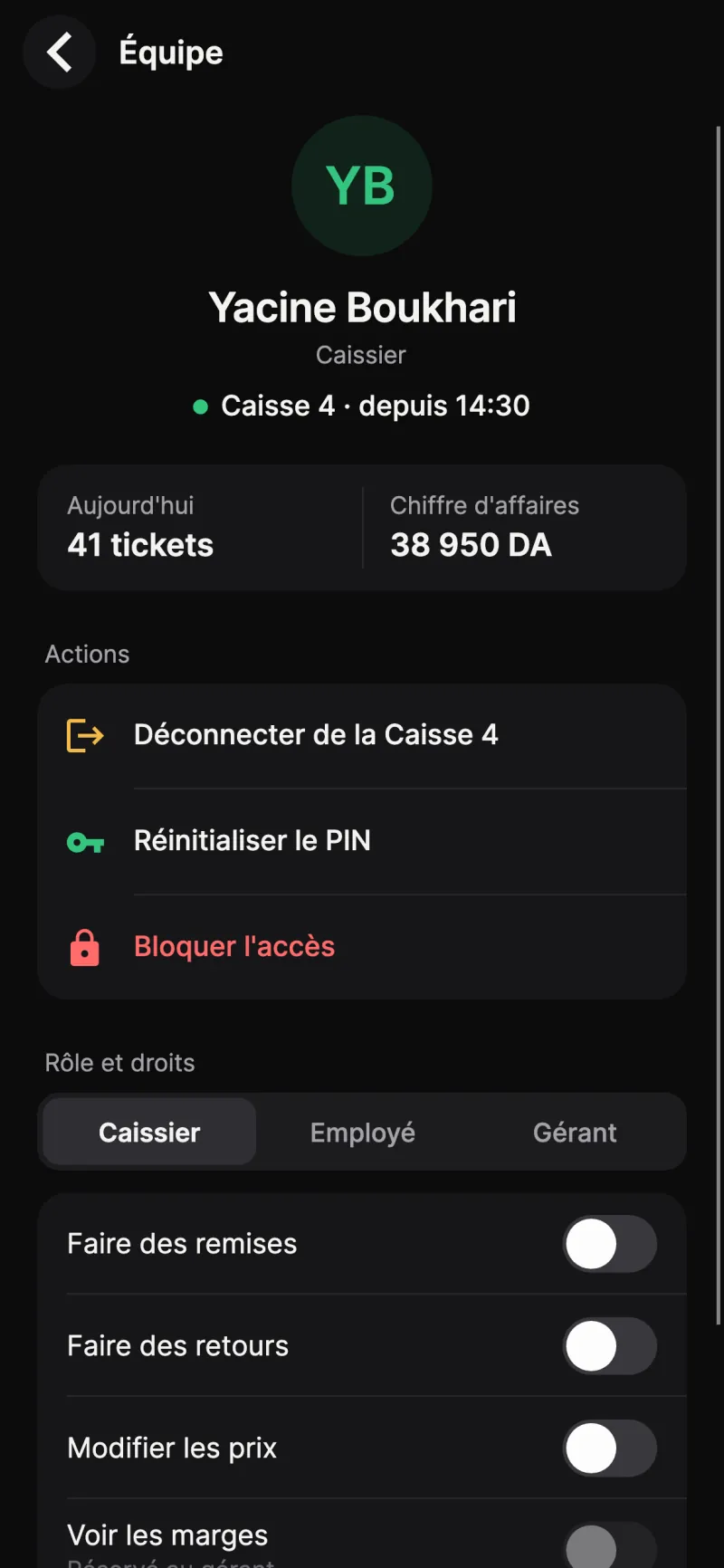
See who is on the till and since when. Sign a cashier out, block an account, issue a new PIN, change a role or a right: the till applies it straight away.

  • Block or unblock an employee
  • Temporary PIN, changed at first sign-in
  • Roles and rights: discounts, returns, prices, till pages
Kassa Patron, Team screen: who is on the till, roles and a blocked account
Kassa Patron, cashier sheet: sign out, reset PIN, block access, role and rights

Your phone becomes a scanner.

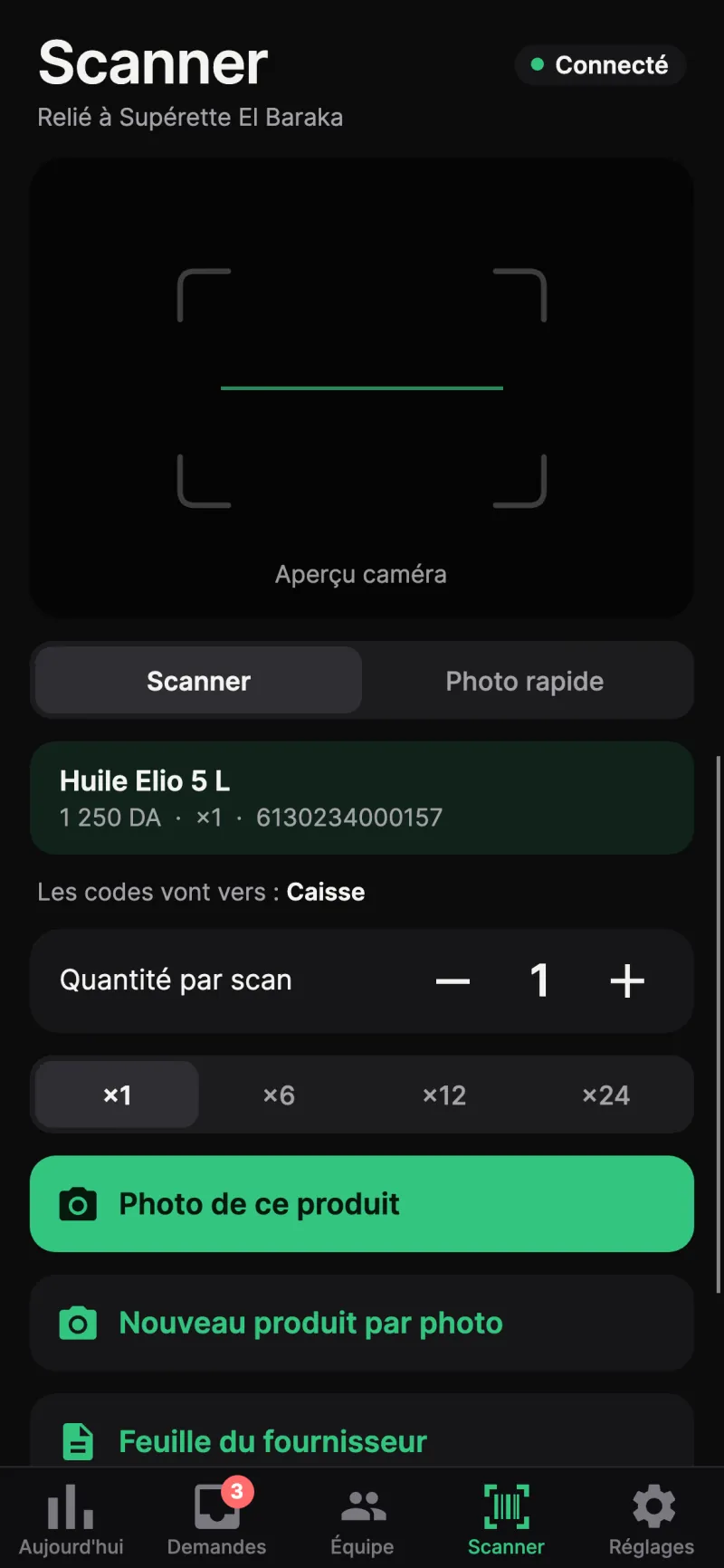
Point the camera at the barcode: the item goes to the till or to the delivery in progress. Product photo, new product from a photo, supplier sheet.

  • Quantity per scan: ×1, ×6, ×12, ×24
  • Product photo and new product sheet from a photo
  • Several phones at once
Kassa Patron, Scanner screen: camera preview, last scanned item, quantity per scan and product photo

Screenshots from the app in a demo shop: names and amounts are fictitious.

Your phone, your signature.

Kassa Patron can unlock a till, so it is protected like a key.

Face ID or fingerprint
The app opens with your face, your finger or your 6-digit code.
Every decision signed
A key unique to your phone signs each approval. The till checks the signature before applying it.
Paired in the shop
The phone pairs with the till using a code shown on screen, valid for a few minutes.
Read-only for others
A phone paired as read-only sees the figures but cannot decide anything.
Encrypted link
Phone and till talk over an encrypted link, on the shop Wi-Fi and remotely.
Lost phone
Remove it from the till: it can no longer see or decide anything.

Where it works.

Available

On the shop Wi-Fi

In the stockroom, the office, upstairs: anywhere the phone picks up the shop Wi-Fi. Nothing goes over the internet.

With the option

Remote, over 4G

With the Remote monitoring option, you follow your shops and approve from home or on 4G, Management pages included. Data is end-to-end encrypted: LilouSoft cannot read it. If the internet drops at the shop, the till sends everything as soon as it is back.

Your questions.

Is Kassa Patron included with Kassa DZ POS?

Kassa Patron is available with Kassa DZ POS. The terms are set out in your quote.

Do I need the internet?

No. In the shop, the phone connects to the till over the Wi-Fi. To follow the shop from home or over 4G, you need the Remote monitoring option, activated on your licence: activation is done once, on the shop Wi-Fi.

Can I follow several shops?

Yes, since version 0.7. Pair the main till of each shop, on its Wi-Fi, in Settings › Shops. The “All shops” screen adds up the figures; a switcher moves from one shop to another. To follow a shop where you are not, its licence needs the Remote monitoring option.

Does the till need an update?

Yes: the Management pages (till, credit, repairs, history, online shop, negotiated prices) need Kassa DZ POS 1.11 on the main till. LilouSoft takes care of it with you.

How many phones?

Up to 10 per shop: yours, a partner’s, the manager’s. Each one read-only or allowed to approve.

How is it set up?

LilouSoft pairs your phone with the till during the on-site installation. After that the app opens with Face ID, fingerprint or your code.

What if I don’t answer?

The request expires after 10 minutes. The cashier can send it again, or a manager on site types their PIN on the till.

No-commitment trial.

Download the 14-day free trial, or request a demo on your type of shop. You decide afterwards, owing nothing.

or call 0560 11 80 52

Or leave your number: we call you back.

Your details are only used to get back to you. They are never sold or shared.